
Crypto Card for Subscriptions — One Card, One Service, One Cap
Table of Contents
The Subscription Leak
Nobody remembers every subscription they signed up for. That is not a character flaw — it is the business model. A free trial becomes a monthly charge, the monthly becomes annual, and the card on file is usually the one tied to your salary account.
A crypto card for subscriptions changes the shape of that problem. Each service gets its own card with its own balance. There is no shared pool to drain, no card number shared across merchants, and no bank account behind any of it. When the term ends, the card simply empties.
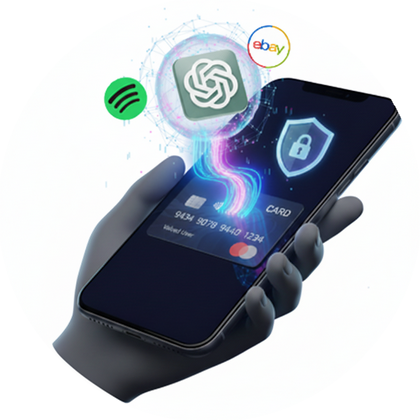
A dedicated crypto card per subscription caps the damage at the balance you loaded.
The One-Card-Per-Service Pattern
This is the whole trick, and it takes about two minutes per service. BingCard allows five new cards a day, which is enough to migrate a normal subscription stack over a week.
| Service | Load | Result |
|---|---|---|
| Streaming | One year of the plan | Fixed cost, no renewals to monitor |
| AI tools / SaaS | Three months plus 20% | Absorbs annual price changes |
| Free trials | The minimum deposit | Trial ends, card empties |
| Cloud storage | Twelve months | One charge, no surprise upgrade bill |
Keep a note of which card belongs to which service. The dashboard names are editable, and naming a card after its merchant saves an hour of guessing later.
What It Covers
- Streaming — video, music, audiobooks, anything billed monthly.
- Software — Adobe, Microsoft, design tools, development IDEs.
- AI tools — ChatGPT, image generators, API credits.
- Hosting and domains — the renewals that hurt most when they fail quietly.
- Dating and social — the ones people least want on a bank statement.
- Gift codes — prepaid codes where you would rather not store a card at all.
For services that insist on a specific billing country, match the card's regional BIN to the account. BIN mismatch is the most common cause of a decline that has nothing to do with money.
Renewals and Headroom
Two details keep renewals boring. First, some services authorise more than the listed price before settling — a dollar buffer is not paranoia, it is how pre-authorisation works. Second, currency conversion moves. Card balances are held in USD, so a GBP, CAD or AUD charge converts at payment time.
- Load 10–20% above the expected annual total.
- Fund with USDT or USDC so the balance itself does not drift.
- Top up before the renewal date, not after — confirmation takes minutes.
- Let failed trials fail. An empty card is a working cancellation.
How to Set It Up
- Create a BingCard account. Email and password, no ID.
- Deposit crypto. USDT or USDC is the sane default.
- Generate a card per service. $2.50 each, named after the merchant.
- Replace the saved bank card in each service's billing settings.
- Reload as needed. Same card, no repeat activation fee.
Frequently Asked Questions
Can I use a crypto debit card for subscriptions?
Yes. Services bill through Visa or Mastercard, so a virtual BingCard works as the payment method.
Why one card per subscription?
Isolation. Each service is capped by its own balance, and cancellation becomes an empty card.
Will services keep charging after I stop?
Only until the balance runs out. That is the ceiling prepaid gives you.
Does it require KYC?
No. The card is issued without identity verification.
What if a renewal fails?
Top up the card and the next retry usually clears. Keep 10–20% headroom.
Put a Ceiling on Every Renewal
A crypto card for subscriptions does not make you organised. It makes disorganisation cheap. One card per service, one fixed balance, one flat fee — and the trials you forgot about expire on their own. Create your account and start migrating today.
Start Now — No KYC Required